
Onboarding checklists cover laptops, logins and where to find the coffee machine. They rarely cover what a fake email from the CEO looks like, even though attackers can now identify a new starter and act on it faster than most onboarding processes move.
Automated tooling can find and email a new starter in less than 30 minutes
In February 2026, researchers at TrendAI (Trend Micro's research division) demonstrated how an attacker could automate this entire process using publicly available tools[1]. The system collected leadership information from LinkedIn, built AI-generated profiles of each executive, predicted likely company email addresses, and produced personalised phishing emails alongside a convincing phishing website. The whole process ran in less than 30 minutes, built by a single researcher in a little over a day.
One detail is easy to miss: the tool also searches the web for a company's email format, then generates the most likely real address for the person it is impersonating. That is why a fake "CEO" email can arrive from something that looks like a genuine internal address, no account compromise required.
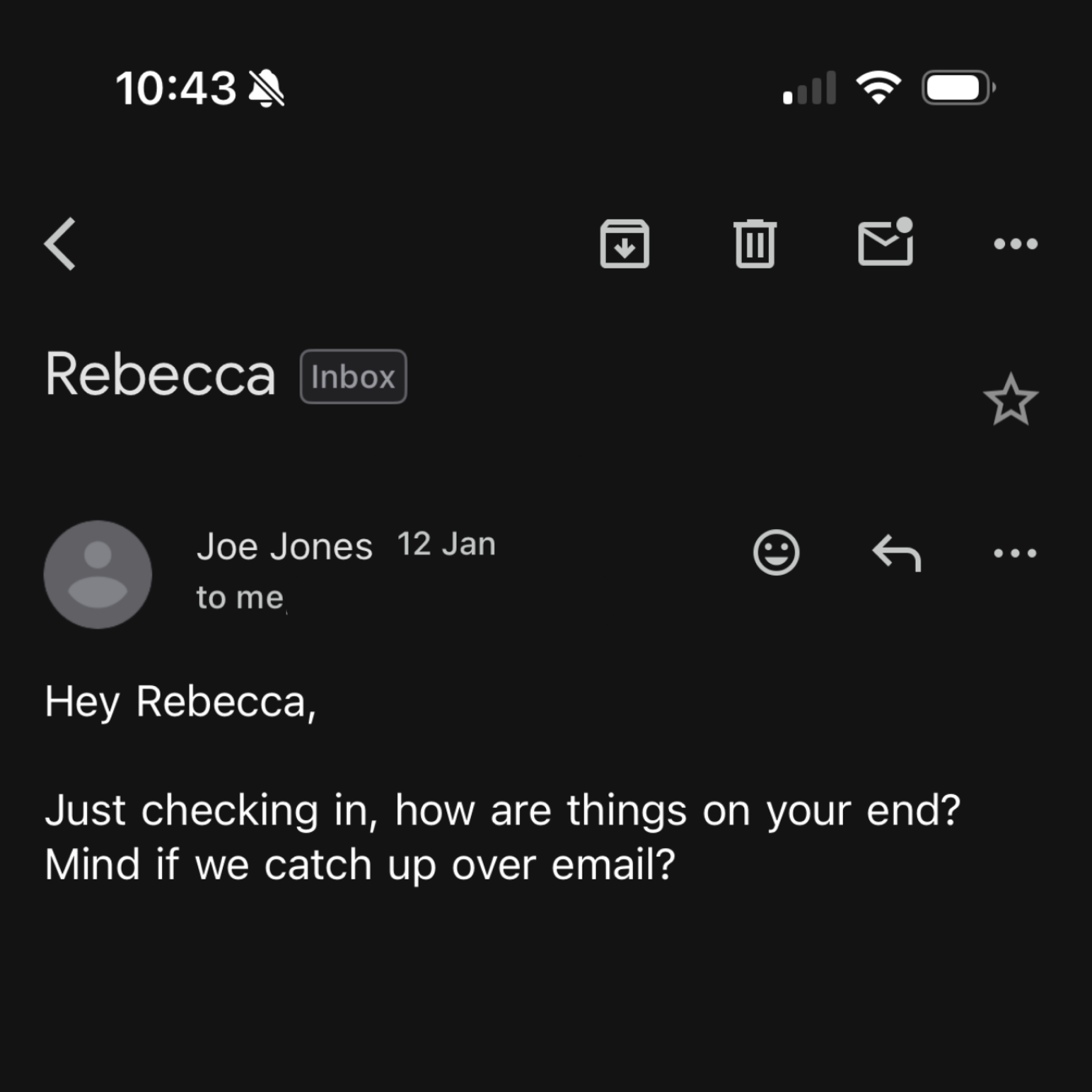
When a new Pistachio employee joined the business in January, they updated their LinkedIn profile to reflect the new role. Twelve hours later, an email landed, not in their new work inbox, but in their personal Gmail account, appearing to come from Pistachio's CEO. Whatever found that personal email address did so entirely outside Pistachio's visibility.
Why new starters are an attractive target
This isn't limited to cybercriminals. Google Threat Intelligence Group has also observed state-backed actors using AI to build detailed phishing personas from public information before approaching targets[2].
New starters make an attractive target for reasons that have nothing to do with technical vulnerability. A new role gets announced publicly, on a predictable timeline, by the person least equipped to spot when something looks off. They want to make a good impression. They default to being helpful. They do not yet know what their CEO's tone sounds like, who normally contacts them, or what a legitimate request looks like at this company.
For SMBs and mid-market organisations, this is a harder problem than it looks. A lean IT team, already stretched across every other priority, has no realistic way to monitor when an employee updates their LinkedIn profile, let alone what happens to a personal inbox twelve hours later.
How IT teams can support new starters
Security awareness platforms are designed to improve behaviour over months, not protect someone in their first afternoon. Even the best automated programme has to enrol a new starter, build a baseline and begin sending simulations, none of which happens in the first few hours of someone's first day.
The simplest mitigation is a five-minute conversation during onboarding. New starters should hear, explicitly, what "normal" looks like before they need to recognise what is not: the CEO will never ask for gift cards, invoices or account details over email or Teams, IT will never ask for a password, and anything urgent involving money or credentials gets verified by a phone call or a face-to-face check, not a reply to the email that raised the question.
That briefing buys the first few days. What protects someone for the following two years is a continuous security awareness programme that keeps testing and adjusting long after the induction slides are forgotten.
Once that initial onboarding conversation is over, the challenge becomes keeping security awareness fresh. That's where a continuous programme helps. Practice from Pistachio delivers continuous, fully automated training that keeps working long after someone's first week is over.
Deploys in under 10 minutes via Microsoft Entra. New starters are added to the training programme automatically as soon as they appear in the directory, so they are never more than a few days from their first simulation, without waiting for an annual training cycle.
Role-based personalisation. Finance teams see invoice fraud and payment-request scenarios, IT teams see credential and vulnerability-themed attacks, matching how real attackers already tailor messages by role.
Simulations across email and Microsoft Teams. Training reflects the channels attackers use, not just the inbox.
Adaptive difficulty and frequency. Training intensity adjusts automatically to individual performance, so lean IT teams are not manually managing who needs more exposure and who does not.
Attackers no longer need to research a target by hand. The tooling does it for them, for every name on a company page, within hours of a LinkedIn update. Onboarding can cover the first week. Everything after that is what a continuous programme is for.
Email contact@pistachioapp.com to book your 15-minute demo.
